Create and send, without writing code
Build a push notification, a Live Activity, a Lock Screen widget or a Home Screen widget, host an image and get a permanent link, then send it to your own device to see it land. Take the generated code if you want it. Everything runs in your browser.
#RRGGBB or #AARRGGBB.
warning Always end your Live Activity. Without an explicit end, iOS leaves the finished Live Activity on the Lock Screen for up to four hours, so a script that simply stops calling strands a frozen percentage in front of the user. Every code sample below finishes with the end call.
What each layout looks like
Same endpoint, same Live Activity; the fields pick the layout, and they combine. Set the form above to match any card and Start it on your own device.
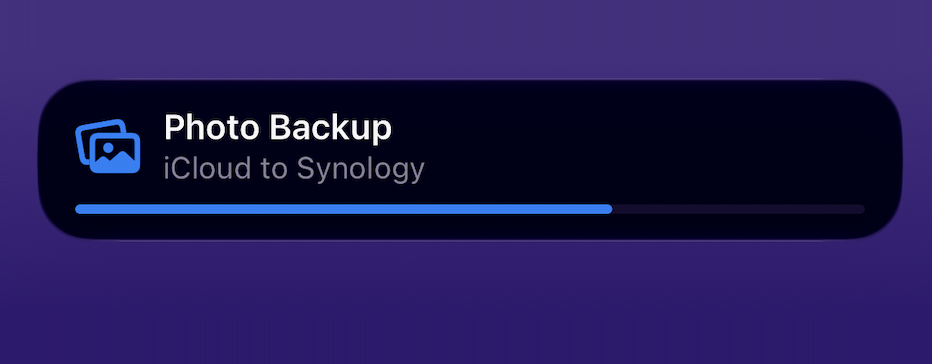
progress.Show the code
{
  "title": "Photo Backup",
  "body": "iCloud to Synology",
  "symbol": "photo.on.rectangle.angled",
  "tint": "#0A84FF",
  "progress": 68
}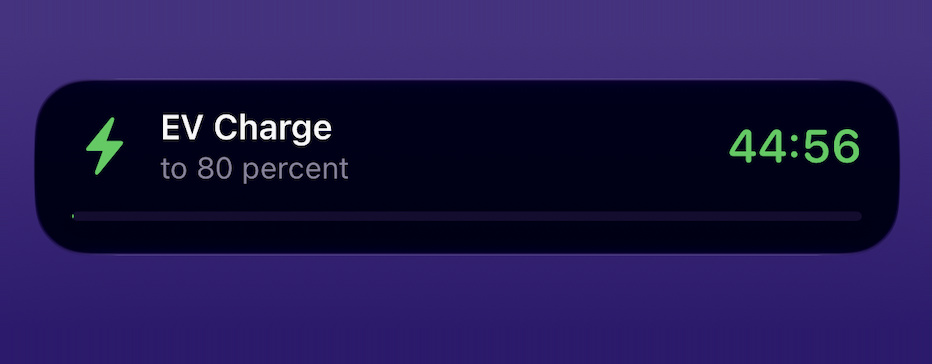
endsIn.Show the code
{
  "title": "EV Charge",
  "body": "to 80 percent",
  "symbol": "bolt.fill",
  "tint": "#30D158",
  "endsIn": 2700
}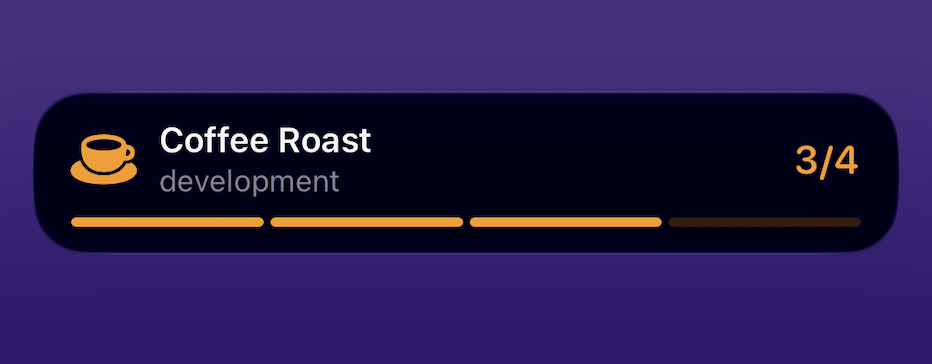
steps and step.Show the code
{
  "title": "Coffee Roast",
  "body": "development",
  "symbol": "cup.and.saucer.fill",
  "tint": "#FF9F0A",
  "steps": 4,
  "step": 3
}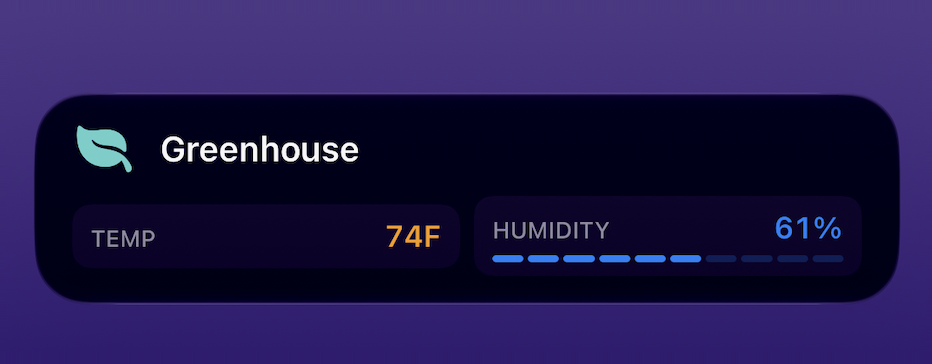
metrics.Show the code
{
  "title": "Greenhouse",
  "body": "74F and 61% humidity",
  "symbol": "leaf.fill",
  "tint": "#66D4CF",
  "metrics": [
    { "label": "TEMP", "value": "74", "unit": "F", "color": "#FF9F0A" },
    { "label": "HUMIDITY", "value": "61%", "color": "#0A84FF" }
  ]
}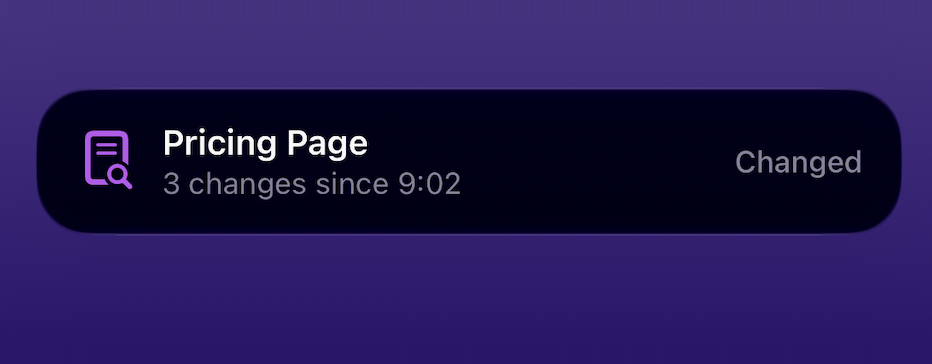
status.Show the code
{
  "title": "Pricing Page",
  "body": "3 changes since 9:02",
  "symbol": "doc.text.magnifyingglass",
  "tint": "#BF5AF2",
  "status": "Changed"
}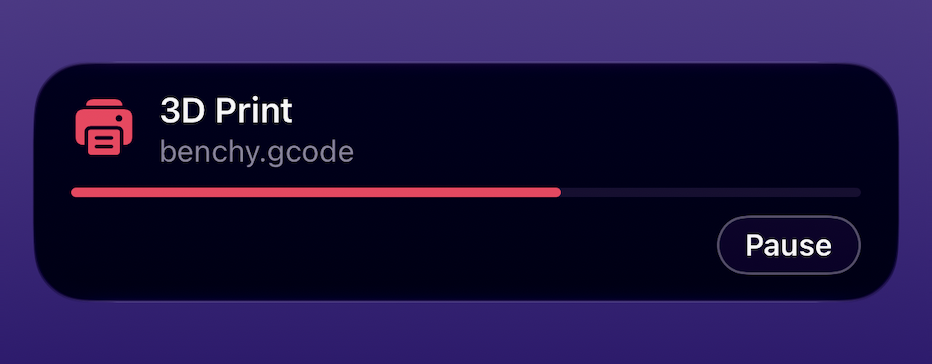
button.Show the code
{
  "title": "3D Print",
  "body": "benchy.gcode",
  "symbol": "printer.fill",
  "tint": "#FF375F",
  "progress": 62,
  "button": {
    "title": "Pause",
    "url": "https://octoprint.example.com/api/pause"
  }
}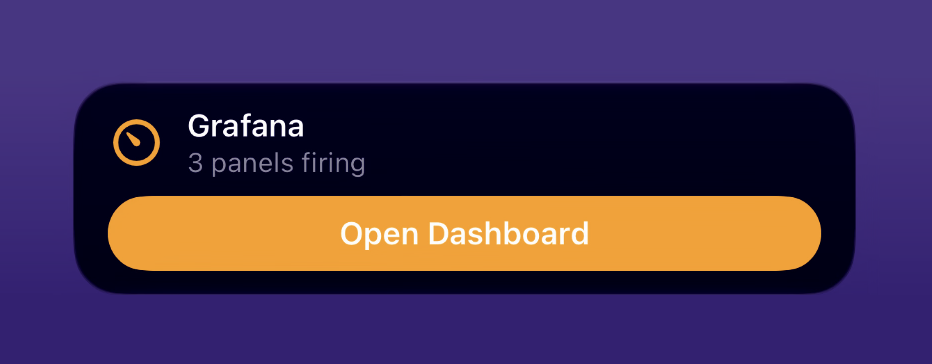
open to open the link instead.Show the code
{
  "title": "Grafana",
  "body": "3 panels firing",
  "symbol": "gauge.with.needle",
  "tint": "#FF9F0A",
  "button": {
    "title": "Open Dashboard",
    "url": "https://grafana.example.com/d/alerts",
    "open": true
  }
}A widget is one value on your Lock Screen that your scripts keep fresh: a temperature, a queue depth, a stock level. Nothing is pushed; the phone checks for new values about every 15 minutes, so it suits numbers that drift, not alerts. A widget stays until you delete it, and a device holds up to 10.
thermometer.medium.
#RRGGBB or #AARRGGBB.
What it looks like
Each screenshot is one widget wearing both of its Lock Screen faces, the rectangle and the circle, side by side. The JSON under a card is the exact create body that produced it. Set the form above to match a card and the example code fills in below.
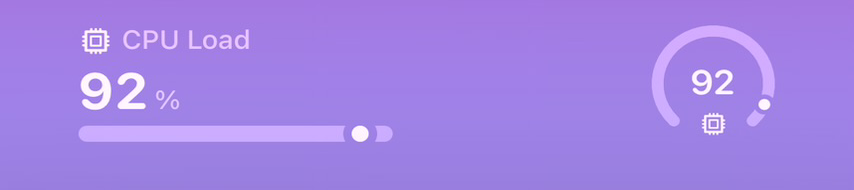
progress drives the bar on the rectangle and the ring on the circle.Show the code
{
  "title": "CPU Load",
  "value": "92",
  "unit": "%",
  "detail": "8 cores, load rising",
  "symbol": "cpu",
  "tint": "#0A84FF",
  "progress": 92
}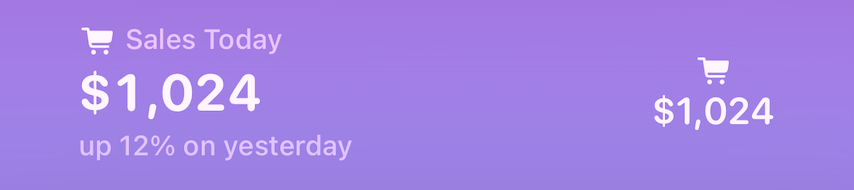
Show the code
{
  "title": "Sales Today",
  "value": "$1,024",
  "detail": "up 12% on yesterday",
  "symbol": "cart.fill",
  "tint": "#30D158"
}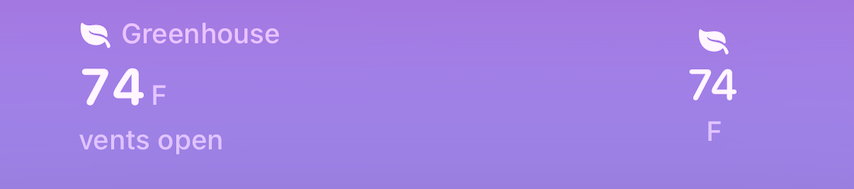
Show the code
{
  "title": "Greenhouse",
  "value": "74",
  "unit": "F",
  "detail": "vents open",
  "symbol": "leaf.fill",
  "tint": "#66D4CF"
}
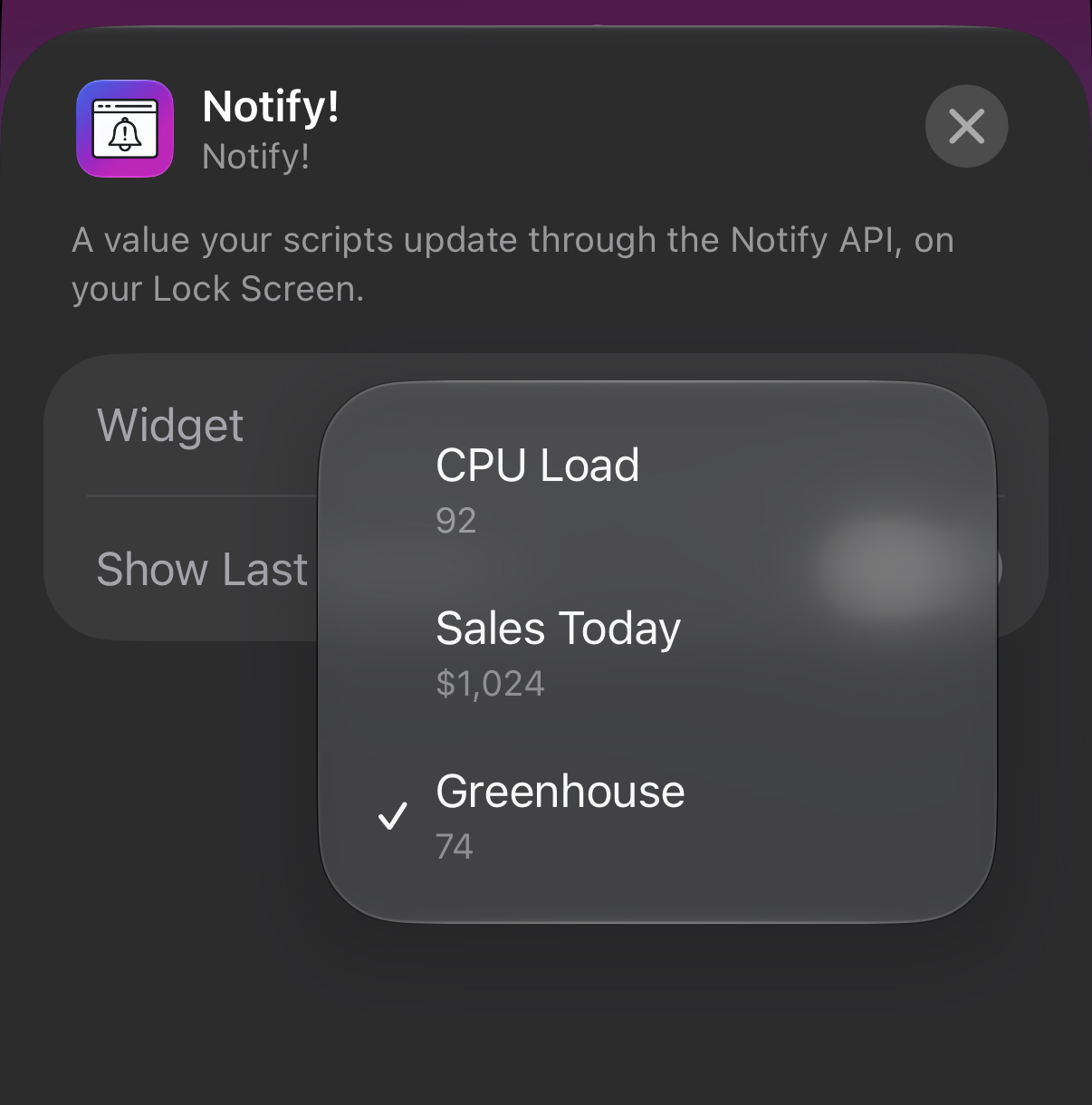
After you add the widget (touch and hold the Lock Screen, Customize, pick Notify!), tap the widget while still in customize mode to choose which of your widgets it shows.
A Home Screen widget is a tile (small, medium or large) on your iPhone's or iPad's Home Screen that shows what a Live Activity shows: a title and body, an icon, a progress bar or a countdown, stages, a small metrics grid, a button. The difference is that it stays: a Live Activity appears when a job starts and goes away when it ends, and a Home Screen widget is always there with the latest thing you stored, until you delete it. Nothing is pushed; the phone checks for new content about every 15 minutes, and a device holds up to 10. The tile arrived with the September 2026 update of Notify!, where you manage them under Settings > Home Screen Widgets. In the API they are called screen widgets, at /screenwidgets.
server.rack.
#RRGGBB or #AARRGGBB.
What it looks like
Screenshots of the tile are on the way. Until then, the Live Activity tab's gallery is the preview: every card there is a valid Home Screen widget body, unchanged, because the two share one content contract. Set those same fields here and the code fills in below.
Drop in any image and get back a permanent HTTPS link, served from the edge. Use it as a notification icon, or anywhere else that wants an image URL. No account, and nothing to install.